
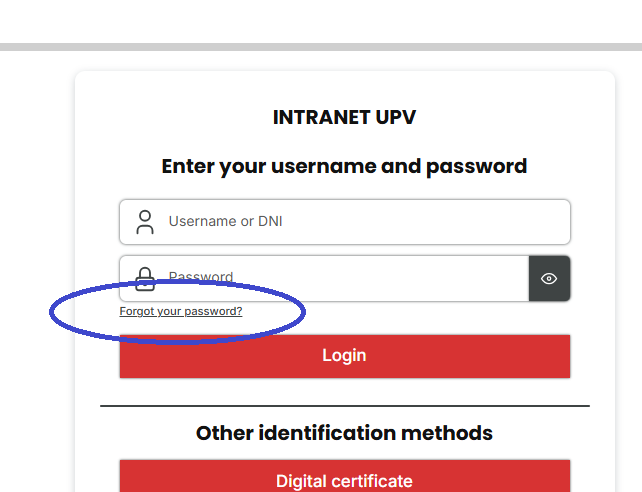
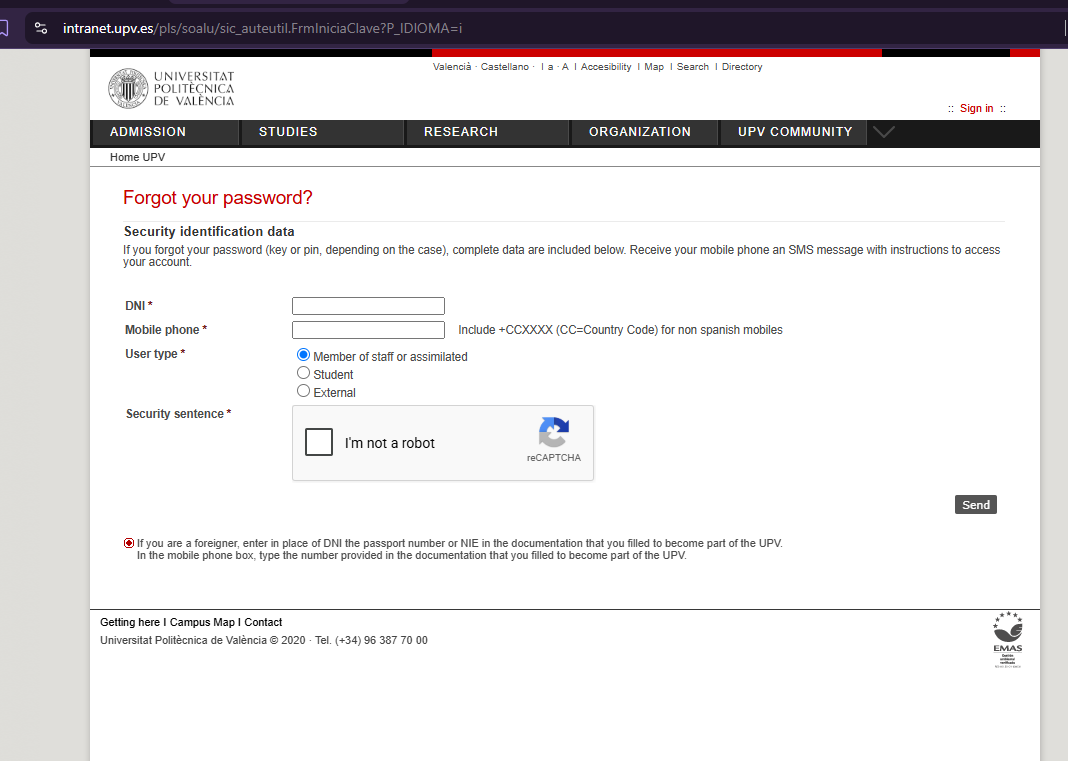
- As a student of the UPV you have an username and a password. If you don't remember your credentials, go to https://intranet.upv.es and use the link "forgot your password":
| Nota |
|---|
Falta ver credenciales del usuario cuáles van a ser para los alumnos chinos que están matriculados allí (que no tienen NIE o DNI): Nos van a mandar una especie de identificador que tienen para esos alumnos en su sistema y nosotros lo adaptaremos como identificador UPV de extranjeros que empieza por ZYxxxxxxx y luego los xxx serán ese identificador o parte de él. Se lo conunicaremos de vuelta conjuntamente con sus credenciales de acceso. Hay que mirar también qué paginas de la wiki tienen que pasar la limitación actual de 1 petición por segundo que Gloria dice que hay en el WAF FortiWeb Falta ver qué hacer con el doble factor de autenticación (han de gastar Microsoft Authenticator) y traducir esa página página Configurar la autenticación Multi-Factor (MFA o 2FA) en VPN, Microsoft 365, teams...... https://www.gold.ac.uk/it/mfa/china/ No deben hacer VPN (recursos biblioteca), ¿verdad? URL correcta Polilabs → página web crear bvpi-labs.upv.es (quitar polichina.cc.upv.es) y también página web bvpi.upv.es que muestre ayuda + links directos o puede que esta ayuda Traducciones en polilabs y poner alias bvpi-labs.upv.es (quitar polichina.cc.upv.es):
|

Email a enviar a alumnos en el alta
| Extracto |
|---|
Welcome to the BVPI: some ICT services are provided from UPV - Spain, and your identity there is: Username: xxxxxxxxxxx Initial password: xxxxxxxxx (change as soon as possible in https://www.upv.es/xx) For more information: |
- Web de Genially: https://view.genially.com/6a954ef4dcfcc028b02cb956
- As a student of the UPV you have an username and a password. If you don't remember your credentials, go to https://intranet.upv.es and use the link "forgot your password". If you are student of Beihang university and you don't have any Spanish ID number, you should use your Beihang university ID number which has the format "ZYxxxxxxx", preceded by "P". For instance, P0123456:
- You can use different websites depending of the instructions of your teacher:
| Info | ||
|---|---|---|
| ||
These tools are necessary only if your teacher informs you that will be used in his class |
- Polilabs, to use remotelly programs with license that are configured in a remote server of the UPV and access using your credentials
- Poliformat: to access to the materials that the teacher has created
- Virtual laboratories: to do simulations and experiments in real time, modify input variables and analyze graphics or results without the need to be physically carried out in a real laboratory. As an example: https://labvirtual.webs.upv.es/Rocprmetrics.htm
Polilabs
- To access, you need to provide the username and password:
...
- But also the authentication cdode you will obtain from the authentication software you should have installed, following Configurar la autenticación Multi-Factor (MFA o 2FA) en VPN, Microsoft 365, teams..... this guide.
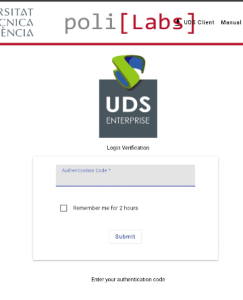
- Once inside the poli[Labs] portal you can open for instance Matlab, going into "Campus" and doing click in "Matlab ENG" (for English, the other one is in Spanish):
...